 Bestseller
Objective: The objective of the Certificate in Cyber Cafe Assistant course is to train individuals in handling day-to-day operations of a cyber café, including basic computer maintenance, internet browsing support, printing, scanning, troubleshooting, and customer assistance. The course covers essential IT skills such as file management, MS Office applications, email handling, and online form filling
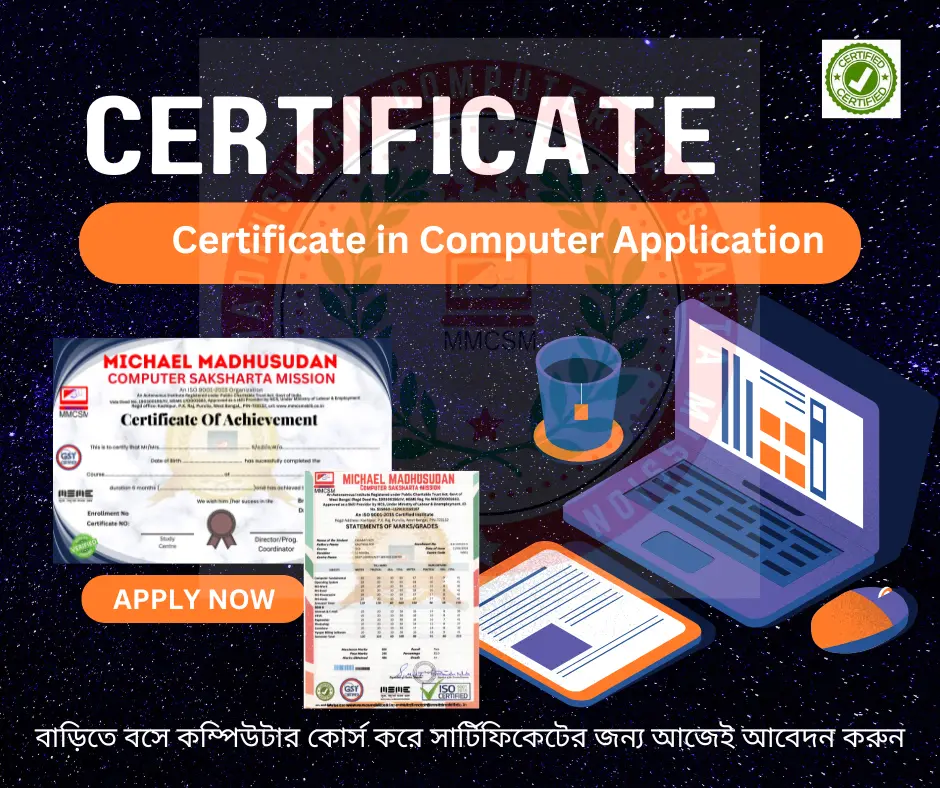
Key Benefits of Certification- Earning a professional certification not only validates your skills but also enhances your employability. Here are the major benefits you gain:
 Practical, Job-Ready Skills – Our certifications are designed to equip you with real-world, hands-on skills that match current industry demands — helping you become employment-ready from day one.
 Lifetime Validity – Your certification is valid for a lifetime — no renewals or expirations. It serves as a permanent proof of your skills and training.
 Lifetime Certificate Verification – Employers and institutions can verify your certification anytime through a secure and reliable verification system — adding credibility to your qualifications.
 Industry-Aligned Certification –All certifications are developed in consultation with industry experts to ensure that what you learn is current, relevant, and aligned with market needs.
 Preferred by Employers – Candidates from ISO-certified institutes are often prioritized by recruiters due to their exposure to standardized, high-quality training.
 Free Job Assistance Based on Your Career Interests – Receive personalized job assistance and career guidance in your preferred domain, helping you land the right role faster..
Module 1: Introduction to Cyber Cafe Operations: Overview of cyber café services, Role and responsibilities of a cyber café assistant, Types of users and their common needs, Understanding IT infrastructure in a cyber café, Basic troubleshooting of hardware and software, Managing user logins and time tracking, Internet browsing support for customers, Awareness of cyber laws and IT rules, Importance of customer service in cyber cafés, Safety and cleanliness of the workspace.
Module 2: Basic Computer and Internet Skills: Introduction to computer components and their usage, Operating system basics (Windows/Linux), File and folder management, Basics of web browsers and search engines, Internet browsing and downloading techniques, Email account creation and usage, Social media access support, Online form filling and scanning documents, Print, scan, and copy operations, Keyboard shortcuts and typing practice.
Module 3: Office Software Applications: Basics of MS Word – typing, formatting, saving, Basics of MS Excel – data entry, simple formulas, Basics of MS PowerPoint – slides and templates, Document editing and printing, Creating resumes and letters for customers, Using PDF readers and converters, Creating and formatting digital forms, Handling customer requests for online applications, Saving and organizing files efficiently, Using open-source alternatives like LibreOffice.
Module 4: Customer Service and Communication Skills: Greeting and assisting customers politely, Understanding customer requirements clearly, Handling multiple customers during rush hours, Communicating charges and services transparently, Managing complaints and resolving issues calmly, Assisting differently-abled or elderly users, Maintaining professional conduct and grooming, Handling phone inquiries effectively, Promoting additional services (passport, print, etc.), Importance of patience and empathy in service.
Module 5: Internet Security and Cyber Etiquette: Basic knowledge of cyber security, Safe browsing practices and privacy awareness, Detecting and avoiding phishing or scams, Antivirus and system protection basics, Safe handling of customer data, Educating users on responsible internet use, Managing and restricting inappropriate content, Avoiding illegal downloads and copyright violations, Usage logs and surveillance practices, Complying with government regulations.
Module 6: Billing, Documentation, and Maintenance: Using billing software and manual receipt systems, Maintaining daily records and usage logs, Managing pre-paid and post-paid user sessions, Handling payments (cash, UPI, cards), Managing inventory of accessories (paper, toner), Reporting technical issues to vendors or support, Basic maintenance of printers and scanners, Backup and restore of essential data, Weekly cleaning and system checks, Preparing reports for café owners or supervisors
Copyright © 2026 DITRP INDIA. All Rights Reserved